With the ever-increasing need to stay on top of daily tasks, calendar and appointment scheduling software have become invaluable tools. Today, there are a variety of calendar and appointment scheduling applications that can help you stay organized, save time, and increase productivity.
From basic calendar applications to calendar APIs, technology has made it easier than ever to keep track of meetings, appointments, and deadlines. This article will review the best types of calendar and appointment scheduling software, the features they offer, and how to choose the best one for your needs.
Not all calendar scheduling software offers the same capabilities. Some are solely for scheduling and managing appointments, while others are APIs that connect to your users’ calendars and allow you to quickly build customizable scheduling workflows in your application.
Let’s take a look at the different types and features of scheduling software.
Appointment scheduling
Appointment scheduling tools include:
A web-based application that allows users to access their calendar from any device or browser
A backend interface where administrators can view customer information, track attendance records, customize appointment types, apply services, and analyze customer behavior
Employee management
Employee management tools track employee schedules and hours worked, store employee data, and help with payroll processing.
They help teams track projects, deadlines, and scheduling changes. Managers can also use these tools to plan team meetings, design onboarding schedules, and organize future vacation or sick days.
Calendar APIs
A calendar API integrates your application with various calendars. Your development team can spend months to years building integrations from scratch, or they can significantly reduce this hassle and use a calendar API. You can reduce your time-to-market with out-of-the box, intelligent scheduling features that simplify workflows and increase user productivity.
Benefits of using calendar scheduling apps
Calendar scheduling apps provide a range of benefits for both individuals and businesses, including:
Streamlined workflows
Calendar and scheduling applications create a central hub for organizing and managing appointments. They often integrate with other productivity tools, such as project management software, enabling easy collaboration between departments and users.
They also eliminate potential scheduling conflicts, remove the back-and-forth of scheduling via emails, and reduce no-shows.
Operational efficiencies
No matter what scheduling appointment software you use, these applications enable businesses to quickly and easily scale their scheduling efforts. For example, if you’re using employee scheduling software, you can quickly adjust staffing needs depending on customer demands and employee availability.
Calendar APIs, in particular, are ideal for rapidly growing or changing companies since they can expand their scheduling capabilities without the extra cost of hardware and software. A calendar API vs. a simple scheduling application is ideal for those who need to integrate a scheduling solution into their app, but also need highly customizable functionality.
Cost optimization
With improved productivity, efficient operations, and reduced development time, calendar and scheduling applications save businesses time and money.
Instead of a team of developers spending one to two years (or more) creating their own platform, calendar APIs enable engineering teams to add scheduling capabilities into their applications in just a few sprints. These platforms also drastically reduce ongoing maintenance, bug resolution, and unanticipated customer requests that come with building these communication needs in-house.
Scheduling apps can also provide intelligent insights that help businesses make data-informed decisions about budgeting for future projects or initiatives.
What to look for in scheduling software
When shopping for scheduling software, it’s important to consider several key factors. Some of the things you should look for in scheduling software include the following:
Flexibility
Good scheduling software should offer you a flexible workflow. It should enable you to
Create different appointment types and lengths
Customize interfaces and calendar templates native to your brand, voice, and style
Manage your workload seamlessly by integrating with other business tools
Offer mobile access to run your operations on the go while away from the office
Calendar syncing
An effective calendar scheduling app allows users to sync with any calendar application they’re using. Once linked, any changes made to the user’s calendar through the app will be reflected in the other calendars and vice versa. This allows users to manage their schedules in a single place and ensures that their appointments are always up-to-date and accurate.
Easy integrations
Calendar scheduling apps should provide simple and intuitive methods for connecting the app with other platforms. This should include:
User-friendly interfaces with simple toggle switches or drop-down menus for enabling or disabling integrations
Onboarding and setup assistance like live chat support, email support, or in-app guidance and tutorials
API capabilities
API capabilities take calendar and scheduling software to another level. An API enables you to build a tailored, front-end scheduler unique to your brand and scheduling needs.
Nylas’s calendar API is a single point of integration to connect to your users’ calendars and quickly build customizable scheduling workflows in your application. It removes the complexity of implementation, allowing your developers to focus on product innovation rather than dealing with complex protocols.
Best calendar & appointment scheduling software
Here are the top calendar and appointment scheduling tools on the market this year.
Nylas
How it works:Nylas is a secure and reliable cloud-based communications software that offers a calendar API, email API, and contacts API, as well as a front-end scheduler. The Nylas Scheduler allows organizations to quickly embed automated, real-time scheduling features with pre-built, front-end widgets. With no custom code required, you can launch scheduling features in months, not years.
Nylas accelerates product velocity and empowers businesses to focus on creating more unique experiences for their customers. Nylas is trusted by over 200,000 developers and global brands, including Upwork, Wix, Dialpad, and many more.
Key features & benefits:
Streamlined scheduling: Embed scheduling directly into your application and simplify workflow management, eliminating users from leaving your platform
Automate scheduling workflows: Use schedule editors, instant booking, round-robin scheduling, group meetings, and collective scheduling capabilities
Time zone support and localization: The scheduler is available in English, French, German, Spanish, Chinese, and Swedish and offers seamless scheduling across time zones
Custom integrations: Nylas enables developers to build custom integrations unique to business needs
Virtual calendars: Virtual calendars allow users to schedule without having an existing calendar account – no sign-in is needed
Customizable UI: Own all aspects of your end users’ scheduling journey with customizable branding
Nylas offers a full-service API platform, including an email API, calendar API with a front-end scheduler, and contacts API. Pricing plans vary by the number of connected accounts (end users).
How it works:Cronofy is a developer tool for businesses to power a scheduling solution in their application. The platform offers APIs and an embeddable UI that allows companies to integrate with other calendars and sync in real time. Cronofy’s scheduler eliminates back-and-forth emailing and enables teams to connect through one-time use meeting links.
Strategic: Customizable plan – contact Cronofy for a quote
Scheduler (annual plan)
Business: $599 per month
Enterprise: $1,899 per month
Scheduler (monthly plan)
PAYG: $15 per month
Business: $699 per month
Enterprise: $2,299 per month
Calendly
How it works:Calendly is an online scheduling tool that helps individuals and businesses automate scheduling events. Users can create events and allow invitees to automatically book meetings based on their set availability. Calendly offers smart calendar integrations that keep users up-to-date on every task or event, and various customization options and features.
While Calendly’s API is READ only, Nylas enables developers to configure workflows more easily and customize integrations using our APIs and webhooks. Additionally, Nylas offers self-service OAuth for developers to build custom authentication experiences, while Calendly requires contacting their technical support. Our platform’s security is also HIPAA compliant, enabling businesses to go to market faster without worrying about meeting security requirements and accessing personal health information.
Out-of-the-box integrations with 3rd party applications available in their library
Integration with external calendars and scheduling apps
Automatic time zone scheduling and event reminders
Pricing:
Basic: Free
Premium: $8 per user per month (annually) | $10 per user per month (monthly)
Pro: $12 per user per month (annually) | or $15 per user per month (monthly)
Teams: $16 per user per month (annually) | or $20 per user per month (monthly)
Enterprise: Custom quote basis
Because Calendly’s pricing is primarily feature-based, plans can get expensive quickly for businesses that need a comprehensive scheduling solution.
CalendarHero
How it works:CalendarHero is an appointment-scheduling software that allows users to share reminders, sync calendars, and collaborate. It provides teams with meeting schedule templates and gives managers tools to store details of participants. CalendarHero also enables teams to personalize links and process transactions.
How it works:Zoho Calendar is a digital calendar that businesses use to manage employees and events. It is a tool that brings multiple calendars to one place, helping users easily book resources, set appointments, and schedule events. Zoho calendar helps colleagues share their calendars with one other and also monitor meetings. Additionally, Zoho has a separate tool for booking alone known as Zoho Bookings.
Free; however, additional capabilities require a paid plan.
Acuity Scheduling
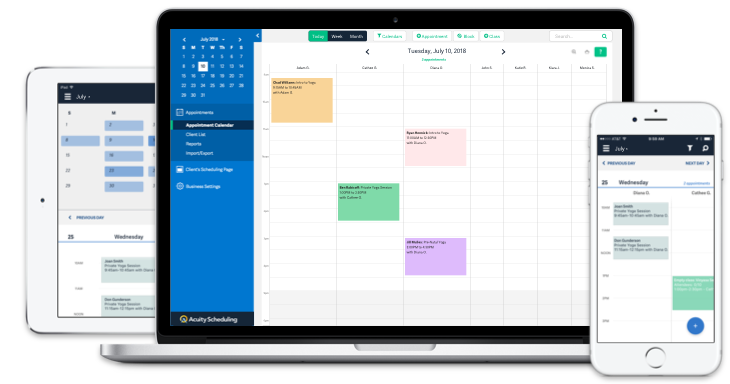
How it works:Acuity Scheduling, also known as Squarespace, is an appointment scheduling software that helps businesses manage appointments on a cloud platform. Acuity offers businesses automated bookings and calendar sync functions based on time zones.
Transaction processing via Square, PayPal, and more
Pricing:
Emerging entrepreneur: $15/month
Growing business: $25/month
Powerhouse player: $50/month
Hubspot Meetings
How it works:HubSpot Meetings is a free, web-based tool that helps teams plan and manage their meetings. It’s designed to be used by both individuals and businesses, offering automatic reminders, video conferencing integrations, calendar synchronization, and team management features.
How it works:Resource Guru is an online resource management platform that project managers and HR teams use to improve workforce productivity. It makes it simple to create projects, assign tasks, and track progress in real-time.
Resource Guru enables users to set up a custom calendar view and flexibly respond to changing business requirements. Its design lets users find the necessary information and allows managers to oversee their project’s resources.
Grasshopper: $3/user/month (billed monthly) or $2.50/user/month (billed annually)
Blackbelt: $5/user/month (billed monthly) or $4.16/user/month (billed annually)
Master: $8/user/month (billed monthly) or $6.65/user/month (billed annually)
Bookafy
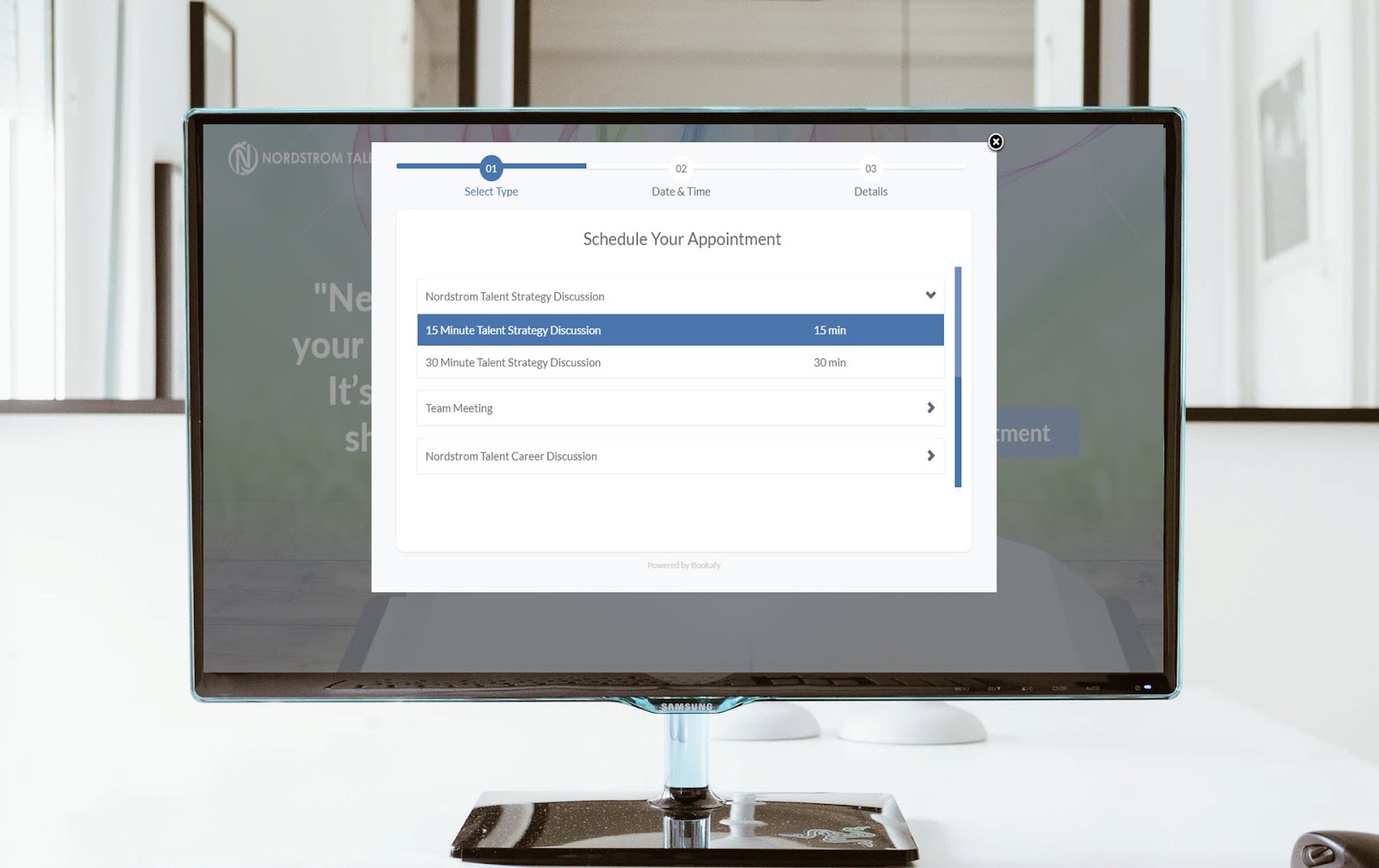
How it works:Bookafy is an appointment scheduling software for busy professionals and small business owners. It enables users to create customizable appointment booking forms that they can embed in websites and social media pages, manage from any device, and integrate with the top calendar applications.
How it works:Setmore is a scheduling platform that helps small and mid-sized businesses manage appointments and stay organized. Users can also stay on top of bookings with real-time notifications sent directly to their mobile device or desktop. It offers integrated features such as automated text, email reminders, online bookings, and waitlists, and users can create professional booking pages.
Payments processing via 3rd party payment integrations
Online appointment scheduling
Reporting & analytics
Customizable booking page
Pricing:
Free (for up to four users): $0
Premium (up to two users): $5 per user per month
Pro (3+ users): $5 per user per month
Cal.com
How it works:Cal.com is an open-source scheduling API that enables users to create calendars, sync them with multiple devices, and collaborate on documents with others in real time.
Although Cal.com offers self-hosting and customization abilities, Nylas is a more market-mature product with out-of-the-box features that extend beyond calendar scheduling. Our email and contacts APIs give customers full CRUD capabilities, enabling end users to access more of their digital lives, resulting in an enhanced user experience.
How it works:SimplyBook is an online booking, scheduling, and appointment management software for smaller service-based businesses and enterprises. Customers can book appointments online, manage calendars and keep track of customer information. SimplyBook enables businesses to automate processes like customer check-in, email reminders, and payment collection.
Many calendar and appointment scheduling software offer an extensive array of features. From creating quick agenda items to setting reminders and collaboration between team members, these tools are essential assets for maximizing productivity and efficiency.
Nylas stands out by offering both a front-end scheduling application and calendar API. The full Nylas platform also provides powerful workflows that integrate with your users’ email, calendar, and contacts data without spending thousands of hours of your developers’ time building and maintaining integrations.
Discover the best email APIs for 2024. Get the top picks from our list of both free and paid options to help you integrate email into your applications quickly and easily.
Discover the top CPaaS companies for 2023 with our comparison of Communications Platform as a Service providers and what you should look for when choosing one.
Karina Ung
Karina is passionate about bringing innovative products to life and solving customer pain points. She’s an advocate for learning all-things and coaching others to achieve their full potential. When not at work, you can find her in the garden or on mountain trails hiking and foraging for a good time with her dogs.
 Email and Contacts API
  Calendar API & Scheduler
  Notetaker API
  Agent Accounts
  Sales & CRM
  Recruiting & ATS
  Healthcare
 Financial
 Legal
Legal Real Estate
 Education
 Field Services
 Docs
Docs SDKs
SDKs Tutorials
 API status
 Changelog
 Support